
RPG MAKER MZ Plugin: Character Fears
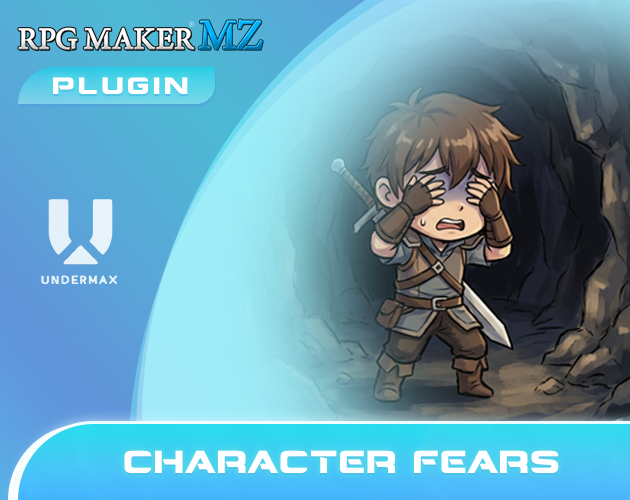
Character Fears
Hello! Thank you very much for your interest in our plugin:
Character Fears.
Before we continue, we would like to remind you that all of our plugins work within the environment:
RPG Maker MZ ↔ PC Windows ↔ NWJS
If you use other platforms or devices, we cannot guarantee correct operation because unfortunately we have no way to test them. Please keep this in mind before proceeding.
Below you’ll find more details about what this plugin offers.
Plugin Overview
| Name of the plugin | Character Fears |
| Platform: | RPG Maker MZ |
| Available versions | Demo: No | Full: Yes |
| Sample project included? | No |
FULL-EXPERIENCE MODE
Plugin Details: Character Fears
This plugin introduces a "Fear" system to your game, allowing characters to experience "psychological stress" based on their surroundings or the enemies they have around.
When a character encounters something they are afraid of, such as a specific monster type, a spooky location, or a cursed area, they will enter in this stressed state, and their combat performance will automatically drop.
Features
- Personal Phobias: You can define exactly what each character is afraid of. Whether it is a specific type of enemy (like ghosts or insects) or a particular map, the character will automatically enter the "Fear State" whenever that trigger is present.
- Location-Based Terror: Using map regions, you can mark specific areas as frightening. As soon as a character enters these zones, they will suffer stat penalties.
- Dynamic Triggers and Switches: You can use simple game switches to turn fears on or off. This allows your characters to "overcome" a fear whenever you decide, or introduce a new fear as well.
Use Examples
- Exploring Spooky Locations: Imagine a character who is terrified of abandoned houses. While exploring an abandoned mansion, that character's agility and defense are significantly reduced. The player must then decide whether to rely on that character’s unique skills or swap them out to avoid the penalty.
- The Intimidating Boss: A powerful boss can be set as a source of fear for the entire party. As long as the boss is present in the battle, the party feels intimidated and weakened, making the fight more challenging in different ways.
Difficulty of use of this plugin:
This plugin must be considered as difficulty: Easy
Differences between the Versions
Demo versions are early builds of the plugin. They have fewer features and differ significantly from the full releases. However, they serve as examples: they allow you to quickly grasp what the plugin can do and often provide enough functionality for smaller projects.
Demo versions do not receive direct updates. As they are early editions, their contents have been improved and updated in the full versions. The demos are free to download on itch.io using the “Download Demo” button.
Full versions are the complete releases of the plugin. They include all features and receive ongoing feature updates and constant support. (Remember that support is always provided for the most recent version of the plugin.)
For more information about versions, updates, and support, please visit our support page:
If you have any questions or suggestions, we would love to hear from you and help.
What is a FULL EXPERIENCE MODE plugin?
At Undermax we always want you to have the best experience, and we know that DEMO versions don't always showcase all the plugin's capabilities. Maybe you're unsure whether to buy the FULL version of the plugin. That's why, in some of our plugins, you can download and run a demonstration example of that plugin in its FULL version so you can try it in a closed and safe environment.
This lets you explore in greater detail those features and improvements that the DEMO version doesn't offer.
Keep in mind that the FULL EXPERIENCE MODE only lets you run the plugin in this project and it will not be compatible with other personal projects. This means you wouldn't have access to the original plugin file, which you would receive if you purchased the FULL version.
FULL EXPERIENCE MODE plugins are only compatible with PC devices running Windows, which is the environment we work with.
For more information on this topic, visit our website or contact us directly through our support page: https://undermax.online/undermax/support.html
Additional Information
All of our plugins are built to work with RPG Maker MZ in its vanilla state: Without other plugins installed. We strive for maximum compatibility, but not all plugins can be guaranteed to work together 100%. We encourage you to test combinations and contact us if you have questions so we can help ensure you have the best experience.
Our priority has always been, and will continue to be, providing innovative, easy-to-use plugins and helping your game reach the next level!
How to Get the Plugin
You can buy and download all of our plugins through the itch.io platform. This allows you to download them as many times as you like via "My Collections":
In addition to purchasing the plugin on itch.io, you can also do so on our official website:
https://undermax.online/buy-plugins-credits/.
* Prices may vary according to taxes and withholdings depending on your country.
Video & Sample Project
Most of our plugins come with an explanatory and demonstration video. These videos help you see how the plugin works before you buy. All videos are recorded using the full version of the plugin, so you can learn about its use, requirements, installation methods and configuration in more detail. It’s important to watch these videos so you can see the plugin in action.
Many plugins also come with a sample project. This not only provides you with the plugin file, but also an RPG Maker MZ project containing a simple example so you can see how it’s configured. Studying the demo will make it easier to implement the plugin in your own project. We encourage you to explore the demo to get the most out of the plugin!
Language & Documentation
Plugin language and documentation: all of our plugins are developed in English and include documentation to help you discover all of the additional features and options that might not be shown in the sample project or video. Be sure to read the documentation so you don’t miss anything.
Plugin Parameters & Arguments
Plugin parameters and arguments: most of our plugins include a description of each parameter and argument, making it easy to understand what each item means and what aspect of the plugin you are modifying.
Terms of Use & F.A.Q
You can find all of this information on our official website. Please visit the following links for more details:
Licence Terms: https://undermax.online/undermax/LicenceTerms.html
Privacy & Refund Policy: https://undermax.online/undermax/privacy_and_refunds.html
Plugin's Codes Purchase & Redemption - Terms & Conditions: https://undermax.online/undermax/plugin-codes-terms.html
Plugin's Codes F.A.Q: https://undermax.online/undermax/plugin-codes-faq.html
If you have any questions, inquiries, or suggestions, remember you can contact us directly through our website: https://undermax.online/undermax/support.html
About Our Promotions
We regularly run exclusive promotions and discounts using the Itch.io platform, letting you acquire our plugins at a better price. We recommend visiting our Itch.io page frequently and Follow us on Itch.io.
We also offer different promotions and special bundles that gather several of our plugins and let you get more plugins for a better price. You can check them out in the Promotions section on our website: https://undermax.online/promos.html
And from our main Itch.io page: https://undermax.itch.io
Still Want More?
Discover all our plugins by visiting our plugin database: https://undermax.online/
You can also use our Windows application: Undermax Cloud: https://undermax.online/undermax/cloud/download.html
And of course, from our main Itch.io page which lets you discover all our plugins quickly and easily! We look forward to seeing you! https://undermax.itch.io
We hope you enjoy the plugin and we are here to help with anything you need.
Remember that by acquiring the plugin you are supporting us tremendously and enabling us to continue creating quality content that you can bring into your own projects.
Let’s keep growing and creating more projects together!
Purchase
In order to download this plugin you must purchase it at or above the minimum price of $4.99 USD. You will get access to the following files:
Comments
Log in with itch.io to leave a comment.
Thank you so much for this system, I think it's brilliant! :D I wondered something; is it possible to have a character's fear be triggered by a state? For example, a character who fears death being afflicted with the spell Doom, (which kills you after X amount of turns)?
Hi! I’m glad you liked it.
I'm not sure I understood the idea fully, but I suppose you can use the conditional switch:
<fear: "type", stateId, switchId(optional)>
By basically adding that to the actors' notes, you’ll make them fear X type of enemy.
It’s just a matter of activating the switch if the user has X status effect applied.
Hope this helps! Cheers
Thank you for the tip! I'll totally try it out soon! I just wanted to pop in and report a bug I think I found! I've been trying out various day/night plugins for my game, but each one conflicts with this plugin. The error always pops up on game launch and reads; 'Cannot read property 'note' of null.' I can't re-create this with any other plugins, just day/night ones.
Hello! I'm sorry to hear you're experiencing this issue.
To analyze and resolve it more quickly, I kindly ask you to do me a favor. Please send me a demo of the project where you're encountering the issue, including the configuration you're using, so I can review some details.
You can send me the entire project folder in a zip file and upload it to Google Drive or any hosting service of your choice.
Attach the link by completing the form on the support page:
https://undermax.online/undermax/support.html
Also, include any additional and detailed information so I can have the same setup as you to replicate the error in my environment.
Thank you very much!
this might sound like a strange suggestion, but no other plugin creator has done it, but a plugin that when active it makes a weapon attacks use the ICON for that weapon. this was a very common plugin type in the past and I was shocked to find it's not a thing here.
in past RPGMakers you could find plugins that made it so attacking in SV with "attack" or skills, any time you would see a weapon, it would use your weapons icon as the visuals it would swing, similar to old final fantasy games. here is a video of it in action (skip to 30 seconds in)
Hello I understand what you're saying, but visustella made a plugin that does that a while ago. I left you the plugin here:
http://www.yanfly.moe/wiki/Weapon_Animation_VisuStella_MZ
Take care!
Edit:
I don't know if it is compatible with tileset icons directly. Because I don't like working with the battle scene, I don't think I'll be able to make a plugin that allows me to do that.
thanks for the link! I saw that before but I think that is actually different. that uses a custom sprite sheet and as far as I know you can't specify using the icon of the weapon itself. the simplicity of using the icon for the weapon itself is pretty nice. unless the linked asset lets you use 1 frame weapons that are part of an atlas.
it seems like the linked asset mainly lets you use more weapon attack animation sheets (1 sheet with different sprites for weapon) instead of letting you use a sprite sheet (icon set with 1 frame for many weapons) and select 1 frame from that set to use for that weapon. I would love if I'm wrong on that though!