
RPG MAKER MZ Plugin: StopBar Minigame
Stopbar Minigame
Hello! Thank you very much for your interest in our plugin:
Stopbar Minigame.
Before we continue, we would like to remind you that all of our plugins work within the environment:
RPG Maker MZ ↔ PC Windows ↔ NWJS
If you use other platforms or devices, we cannot guarantee correct operation because unfortunately we have no way to test them. Please keep this in mind before proceeding.
Below you’ll find more details about what this plugin offers.
Plugin Overview
| Name of the plugin | Stopbar Minigame |
| Platform: | RPG Maker MZ |
| Available versions | Demo: Yes | Full: Yes |
| Sample project included? | No |
FULL-EXPERIENCE MODE
Plugin Details: Stopbar Minigame
With this plugin you can add a simple yet engaging timing-based minigame to your RPG Maker MZ project.
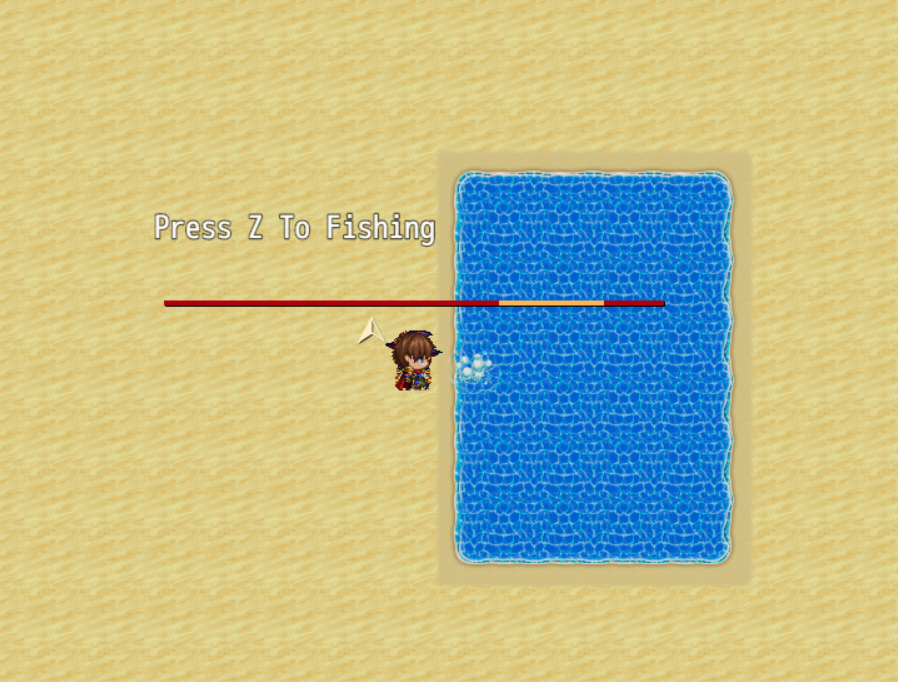
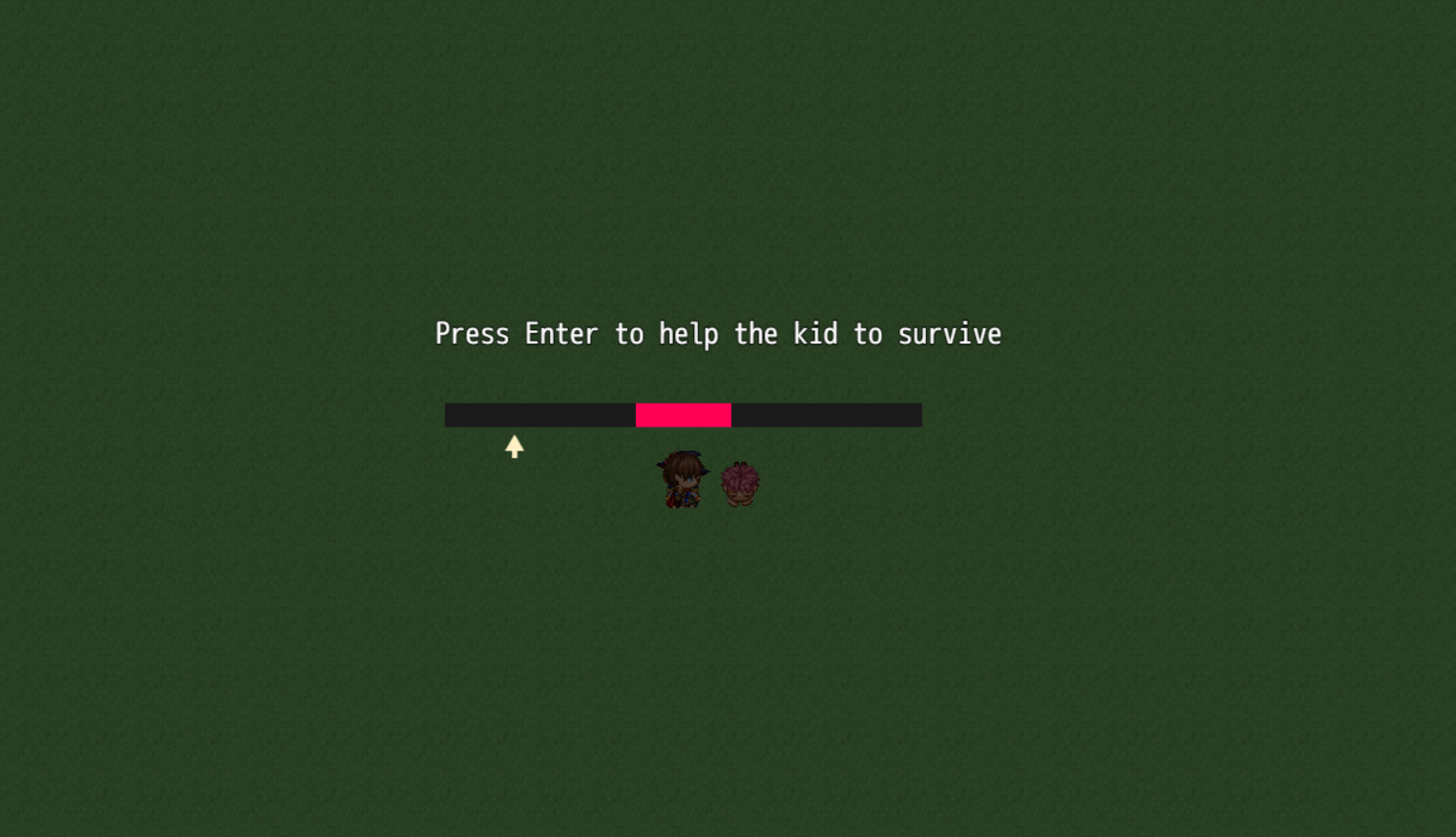
A moving arrow travels along a bar, and players must press a button at the right moment when the arrow is inside the success zone. Success or failure can trigger switches or other game events.
Features
- Customizable Stop Bar Minigame:
You can easily adjust the speed of the moving arrow, the size of the success zone, colors of the bar and arrow, shadows, and displayed text.
- Simple Integration with Events:
The minigame is started using plugin commands placed in map or battle events. When the player succeeds or fails, the plugin automatically turns on a designated switch.
- Screen Darkening and Clear Feedback:
During the minigame the screen can be optionally darkened to focus attention on the bar. Custom text messages guide the player and provide immediate feedback on success or failure.
- Battle Scene Support:
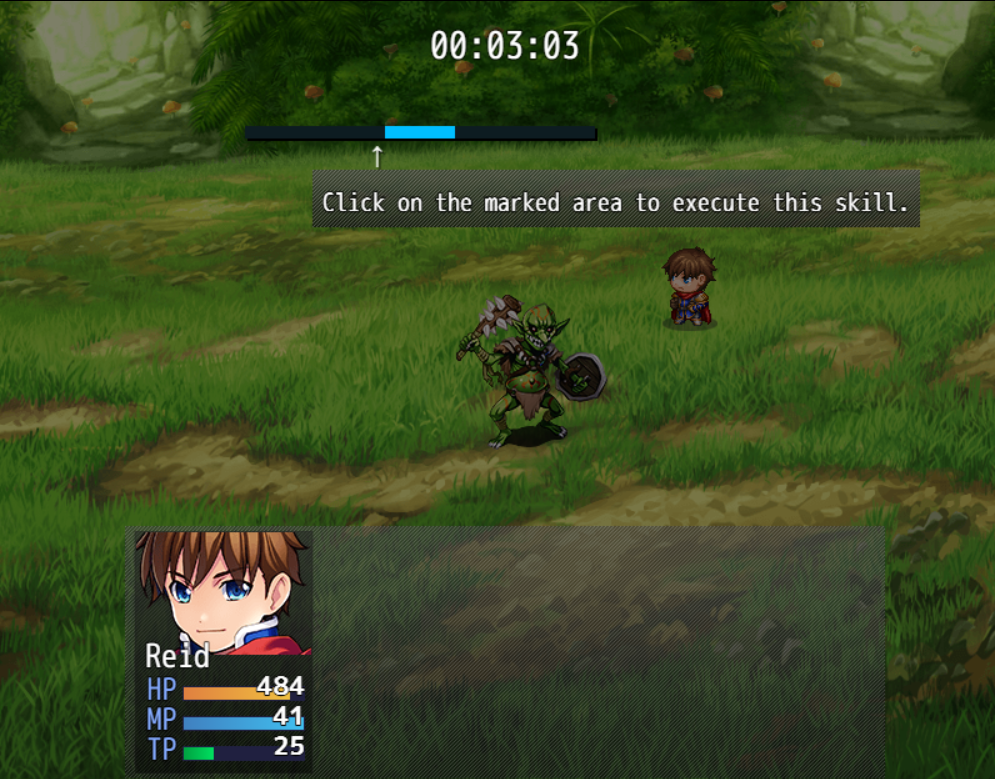
The full version allows you to use the Stop Bar minigame directly inside battles. This opens up timing-based attacks, defensive maneuvers, and special skills that depends on player's reflexes.
Use Examples
- Fishing or Skill Challenges:
Use the minigame as a fishing system where players must time their button press perfectly to catch different fish. Success can grant better items or larger catches, while failure results in nothing or a small penalty, adding realism and fun to the activity.
- Swimming or Racing Mini-Challenges:
In a swimming contest or obstacle course, the bar can represent effort or momentum. A well-timed press moves the player forward or helps them avoid hazards, while missing the zone slows them down or causes failure.
- Battle Skill Enhancements:
During combat, tie the minigame to special attacks or magic spells. A successful timing press could increase damage, add critical effects, or reduce MP cost, making battles more interactive and rewarding for skilled players.
Difficulty of use of this plugin:
This plugin must be considered as difficulty: Easy
Differences between the Versions
Demo versions are early builds of the plugin. They have fewer features and differ significantly from the full releases. However, they serve as examples: they allow you to quickly grasp what the plugin can do and often provide enough functionality for smaller projects.
Demo versions do not receive direct updates. As they are early editions, their contents have been improved and updated in the full versions. The demos are free to download on itch.io using the “Download Demo” button.
Full versions are the complete releases of the plugin. They include all features and receive ongoing feature updates and constant support. (Remember that support is always provided for the most recent version of the plugin.)
For more information about versions, updates, and support, please visit our support page:
If you have any questions or suggestions, we would love to hear from you and help.
What is a FULL EXPERIENCE MODE plugin?
At Undermax we always want you to have the best experience, and we know that DEMO versions don't always showcase all the plugin's capabilities. Maybe you're unsure whether to buy the FULL version of the plugin. That's why, in some of our plugins, you can download and run a demonstration example of that plugin in its FULL version so you can try it in a closed and safe environment.
This lets you explore in greater detail those features and improvements that the DEMO version doesn't offer.
Keep in mind that the FULL EXPERIENCE MODE only lets you run the plugin in this project and it will not be compatible with other personal projects. This means you wouldn't have access to the original plugin file, which you would receive if you purchased the FULL version.
FULL EXPERIENCE MODE plugins are only compatible with PC devices running Windows, which is the environment we work with.
For more information on this topic, visit our website or contact us directly through our support page: https://undermax.online/undermax/support.html
Additional Information
All of our plugins are built to work with RPG Maker MZ in its vanilla state: Without other plugins installed. We strive for maximum compatibility, but not all plugins can be guaranteed to work together 100%. We encourage you to test combinations and contact us if you have questions so we can help ensure you have the best experience.
Our priority has always been, and will continue to be, providing innovative, easy-to-use plugins and helping your game reach the next level!
How to Get the Plugin
You can buy and download all of our plugins through the itch.io platform. This allows you to download them as many times as you like via "My Collections":
In addition to purchasing the plugin on itch.io, you can also do so on our official website:
https://undermax.online/buy-plugins-credits/.
* Prices may vary according to taxes and withholdings depending on your country.
Video & Sample Project
Most of our plugins come with an explanatory and demonstration video. These videos help you see how the plugin works before you buy. All videos are recorded using the full version of the plugin, so you can learn about its use, requirements, installation methods and configuration in more detail. It’s important to watch these videos so you can see the plugin in action.
Many plugins also come with a sample project. This not only provides you with the plugin file, but also an RPG Maker MZ project containing a simple example so you can see how it’s configured. Studying the demo will make it easier to implement the plugin in your own project. We encourage you to explore the demo to get the most out of the plugin!
Language & Documentation
Plugin language and documentation: all of our plugins are developed in English and include documentation to help you discover all of the additional features and options that might not be shown in the sample project or video. Be sure to read the documentation so you don’t miss anything.
Plugin Parameters & Arguments
Plugin parameters and arguments: most of our plugins include a description of each parameter and argument, making it easy to understand what each item means and what aspect of the plugin you are modifying.
Terms of Use & F.A.Q
You can find all of this information on our official website. Please visit the following links for more details:
Licence Terms: https://undermax.online/undermax/LicenceTerms.html
Privacy & Refund Policy: https://undermax.online/undermax/privacy_and_refunds.html
Plugin's Codes Purchase & Redemption - Terms & Conditions: https://undermax.online/undermax/plugin-codes-terms.html
Plugin's Codes F.A.Q: https://undermax.online/undermax/plugin-codes-faq.html
If you have any questions, inquiries, or suggestions, remember you can contact us directly through our website: https://undermax.online/undermax/support.html
About Our Promotions
We regularly run exclusive promotions and discounts using the Itch.io platform, letting you acquire our plugins at a better price. We recommend visiting our Itch.io page frequently and Follow us on Itch.io.
We also offer different promotions and special bundles that gather several of our plugins and let you get more plugins for a better price. You can check them out in the Promotions section on our website: https://undermax.online/promos.html
And from our main Itch.io page: https://undermax.itch.io
Still Want More?
Discover all our plugins by visiting our plugin database: https://undermax.online/
You can also use our Windows application: Undermax Cloud: https://undermax.online/undermax/cloud/download.html
And of course, from our main Itch.io page which lets you discover all our plugins quickly and easily! We look forward to seeing you! https://undermax.itch.io
We hope you enjoy the plugin and we are here to help with anything you need.
Remember that by acquiring the plugin you are supporting us tremendously and enabling us to continue creating quality content that you can bring into your own projects.
Let’s keep growing and creating more projects together!
Purchase
In order to download this Plugin you must purchase it at or above the minimum price of $5.99 USD. You will get access to the following files:
Download demo
Development log
- Update: v1.2.0 (Alternative)Feb 22, 2025
- v1.1.1Jan 29, 2024
- v1.1.0Sep 10, 2023
- What's coming in the next update of this plugin?Sep 09, 2023
Comments
Log in with itch.io to leave a comment.
I'm using this for a swimming mini game, and each time you success, the swimmer moves 2 spots. Everything is good for the players swimmer, but the system messes up the opponent. I have them move 10 spaces before it triggers the opponent victory switch, which works by itself, however after troubleshooting as to why the two dent work together, I found out that the same meconium that resets the timer also resets the enemies movement pattern to the beginning. is there a way around this? At least a way to stop resetting the timer?
How’s it going? How are you?
Well, I understand it’s a somewhat specific case. What’s hard for me is to imagine it without being able to see it clearly. If you manage to send me, via direct message on the support page, a link that includes a demo of the mechanic you’re trying to incorporate so I can replicate it in my environment, and attach an explanation of how it should behave, this will greatly help me resolve the issue you’re mentioning. It’s important for me to be able to emulate your same scenario in order to clearly understand what you need.
You can upload the demo to a download service like Google Drive and then attach the demo there so I can open it and test the plugin’s behavior from the editor.
Thank you very much.
So sorry for the late reply! I actually figured something out so the mini game would still work . Thank you though! If I have any more questions ill email you for sure.
Can this be used for commercial games?
Hello how are you? You can find all the information about licenses and terms of use on the official website:
https://undermax.online/undermax/LicenceTerms.html
Have a good day!
Got it! thanks!
i test demo version not worked in my MZ . can you add my discord : yonz_aditya
let's discuss
Hello. At the moment I do not use discord as a way of contact. Please use the support form :
https://itch.io/blog/694860/undermax-support-page
And explain in more detail what problem you have. Kind regards.
done . please check your support page contact form.
I understand, thank you very much :)
Greetings, I am looking for an add-on where I can create this mini-game of the bar but with a custom line, that is to say, that I can upload the image of the bar and that this image can be changed inside the game depending on where it appears. Is it possible with this add-on?
Hello, thank you for your question.
As of now, the plugin only generates bars directly from colors and not with custom images.
I am currently a bit delayed, but if I have the opportunity in the next few days to release an update with that functionality, I will let you know.
Best regards!
I understand, thank you very much 🐈
Hello.
Thank you for the great plug-in.
Could you please patch this mini game to work on Scene_Battle as well?
If possible, I'd like to incorporate it into the battle of the game I'm currently making. Please.
// This is a sentence I wrote using a translator. I apologize if the expression is weird
Hello! Thank you very much for your message.I'm glad it was useful to you and that you liked it. The problem is that this plugin is specifically designed to work with Scene_map and making it work in another scene requires rewriting a lot of code. I am currently working on other projects but if the possibility arises of being able to incorporate it I will take it into consideration. Thank you very much and I remain at your service.
I am also interested in having this plugin work in the battles. I will pay for a new
plugin for undermax if required
How are you doing? I'll see what I can do 🙂
NEW UPDATE
https://undermax.itch.io/minigamebar/devlog/892299/update-v120-alternative
Great! But can you add a mouse click range function?
Of course, my friend, you can now download version 1.1.1 from the Itchio page. Thank you for your suggestion, and I hope it is useful to you.
All the best!
Note: Remember that plugin updates are only available for FULL versions of the plugins.
Thx
A pleasure to help!
Greetings
Is there some documentation that explains how to use the plugin?
Hello, thank you for your support and interest in the plugin.
You can always find the documentation in the plugin description (Only in case the plugin needs it)
In this case, everything is managed by the plugin commands:
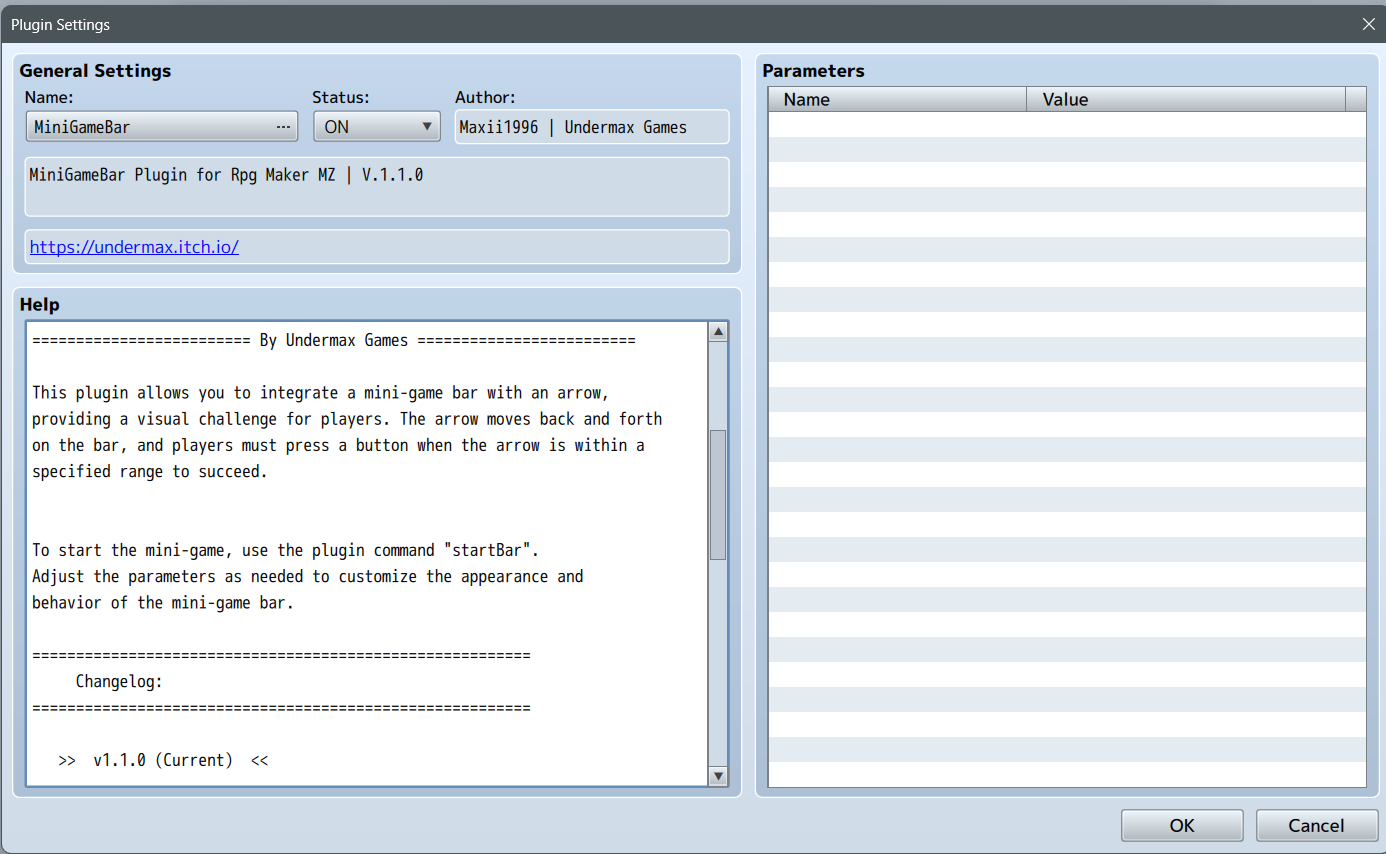
There you can customize the entire plugin as you need :)
How do I access the second window? In my events when I click Plugin Command I just get a text box. ty edit: oh crap I misread the title as MV, is there any way to make this work in MV?
Unfortunately not my friend, the plugins are exclusively for MZ. I don't work with MV.